
Save Instagram posts and Reels to your Mac.
Paste a link or follow an account. PostShelf downloads the media you can access and keeps it in a searchable local library.
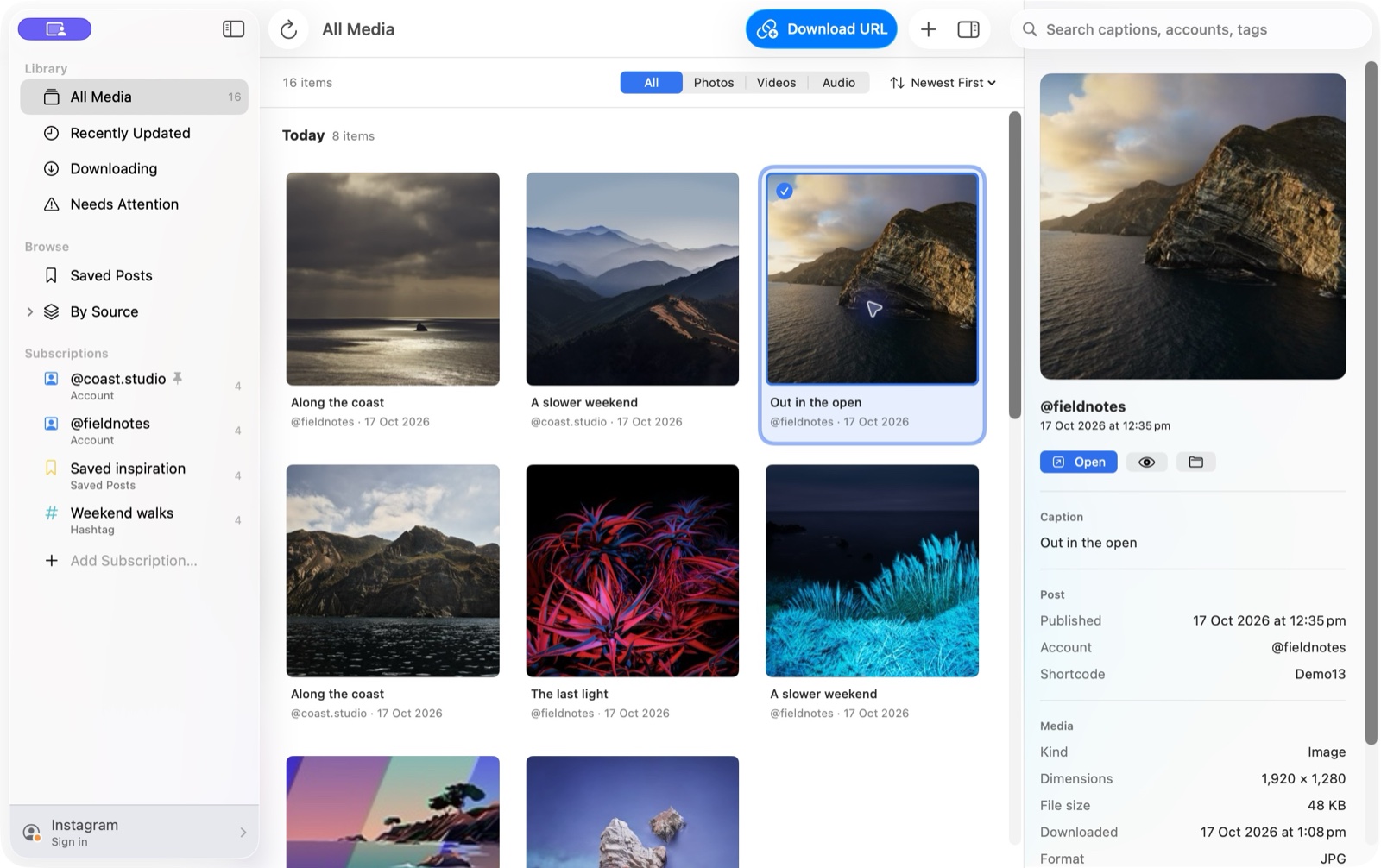
Paste the link. Keep the file.
Press Command-L, choose Video, Audio or Both, and PostShelf puts the download in your library.
-
Paste the Instagram link
Use a post or Reel URL. You can open the download sheet from the keyboard, toolbar or Download menu.
-
Keep video, audio or both
Save the original MP4, extract an M4A audio file using macOS media support, or keep both files.
-
Find the download later
Search by caption, account or tag. PostShelf also records the date, duration and dimensions when they're available.
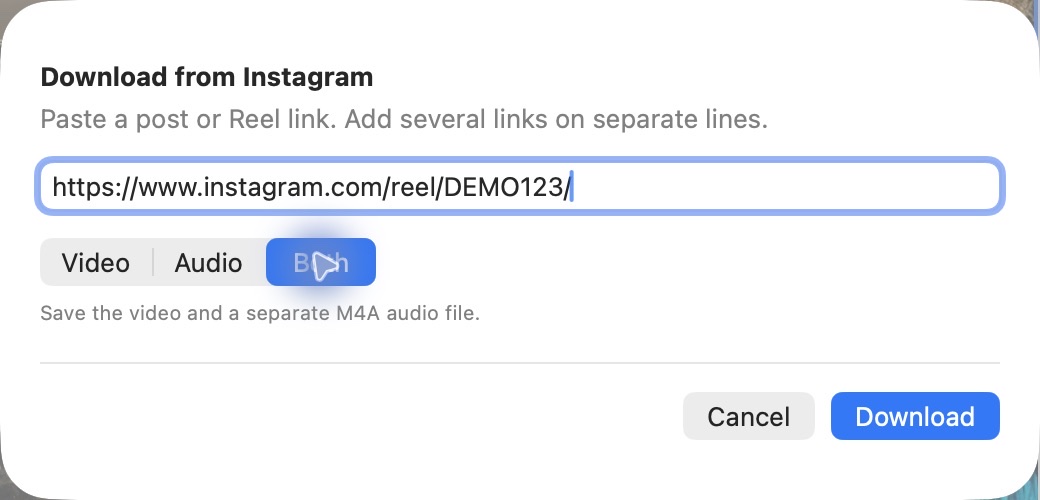
Everything stays on your Mac.
Browse what you have saved, preview it with Quick Look, reveal it in Finder or open it in another app.
Metadata comes along
Captions, accounts, dates, dimensions, duration, tags and locations are indexed whenever the downloader supplies them.
Search the local library
Search from the toolbar across the full library or within a subscription.
Skip duplicate downloads
PostShelf checks its download records and saved files before adding the same post again.
Refresh on your schedule
Each subscription can update automatically while PostShelf is open, with intervals from one hour to one day.
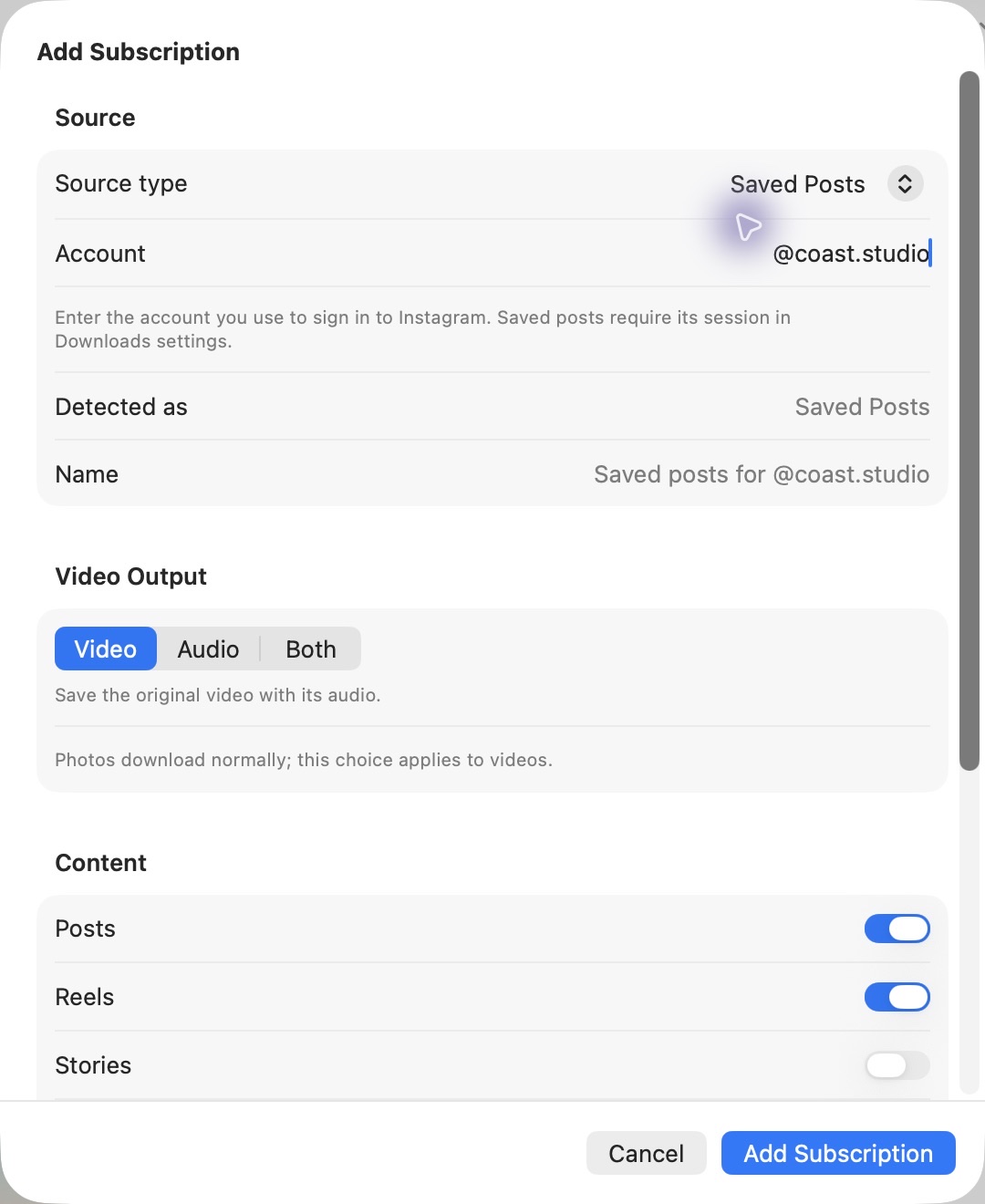
Keep accounts and Saved posts together.
Account subscriptions can include posts, Reels, Stories, Highlights and tagged posts. Add your Saved posts or follow a hashtag, then browse each source from the sidebar.
Subscriptions use gallery-dl, which you install separately. Set a date limit, output choice and refresh interval for each source.
Instagram can block automated downloads.
Instagram may challenge, restrict or disable accounts it suspects of using automated tools. PostShelf pauses the download queue when Instagram asks you to sign in, complete a security check or wait before trying again.
Keep refresh intervals conservative, use an account you're prepared to risk, and stop if Instagram shows a security warning you don't understand.
Check the requirements before buying.
Basic post and Reel downloads work after installation. Subscriptions need one extra tool.
Mac
macOS 14 or newer on an Apple silicon or Intel Mac.
Posts and Reels
Nothing else to install. PostShelf includes yt-dlp for individual links.
Accounts and hashtags
Install gallery-dl separately. It is also required for Saved, Tagged, Stories and Highlights.
Instagram login
Required for Saved posts, Following, private media and anything Instagram refuses to serve while signed out.
PostShelf costs US$10.
$10
Pay once. Version 1.3 is a notarized universal Mac app for macOS 14 or newer.
Buy PostShelf for US$10Lemon Squeezy handles payment and delivers the DMG. Account and hashtag subscriptions require gallery-dl, installed separately. Read the setup docs before buying.
Before you buy.
PostShelf works today, but it depends on Instagram and two open-source download tools. Those can change.
Which Macs does it run on?
PostShelf runs on Apple silicon and Intel Macs with macOS 14 or newer.
Which download tools does it use?
Individual post and Reel downloads work out of the box through the bundled yt-dlp. Accounts, hashtags, Stories, Highlights and tagged posts need gallery-dl installed separately. Installation instructions are in the docs.
Does PostShelf store an Instagram password?
No. Sign-in happens on Instagram's website. PostShelf stores the resulting session cookies in Keychain, writes a temporary permission-restricted cookies file for a download, then removes it.
What doesn't it do yet?
You can save a location subscription, but neither download engine can read Instagram location feeds yet, so those stay empty. Launch at login is not available. You can keep PostShelf running in the menu bar from Settings > General.
How much does PostShelf cost?
PostShelf is a one-time US$10 purchase. Lemon Squeezy handles checkout and delivers the download, so there's no account to create on this site.